Software Updates: FinishLynx 13.10 FieldLynx 1.96

Software Updates: FinishLynx 13.10, FieldLynx 1.96


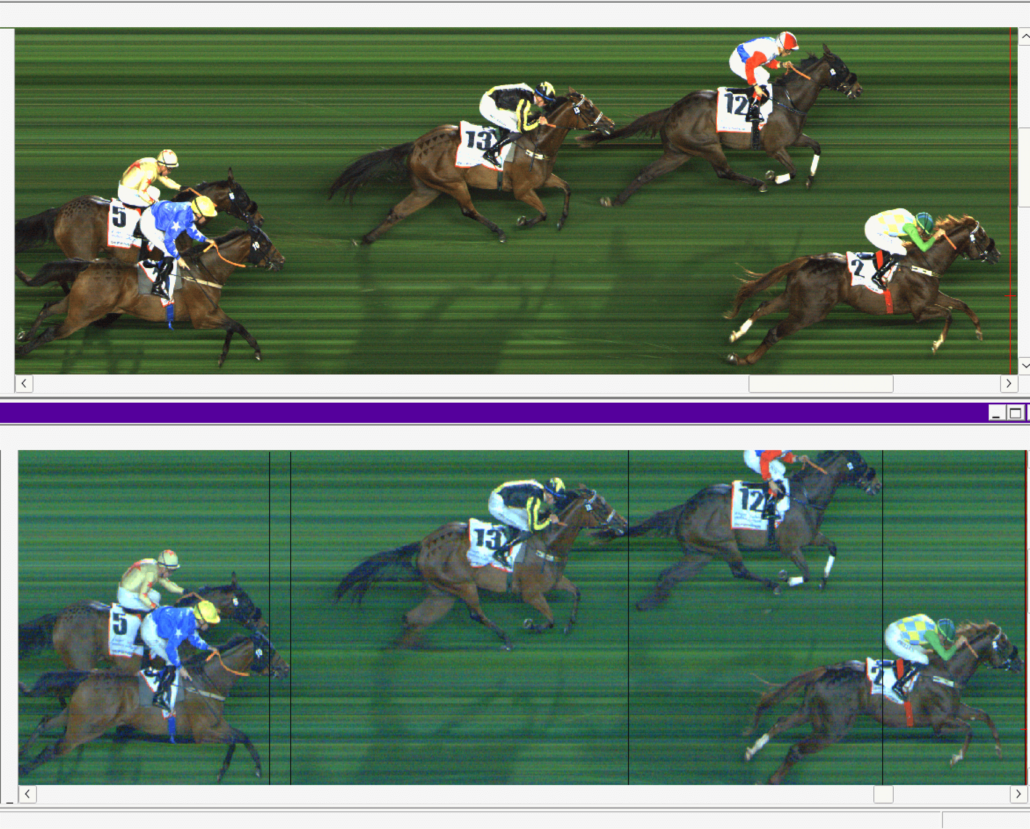
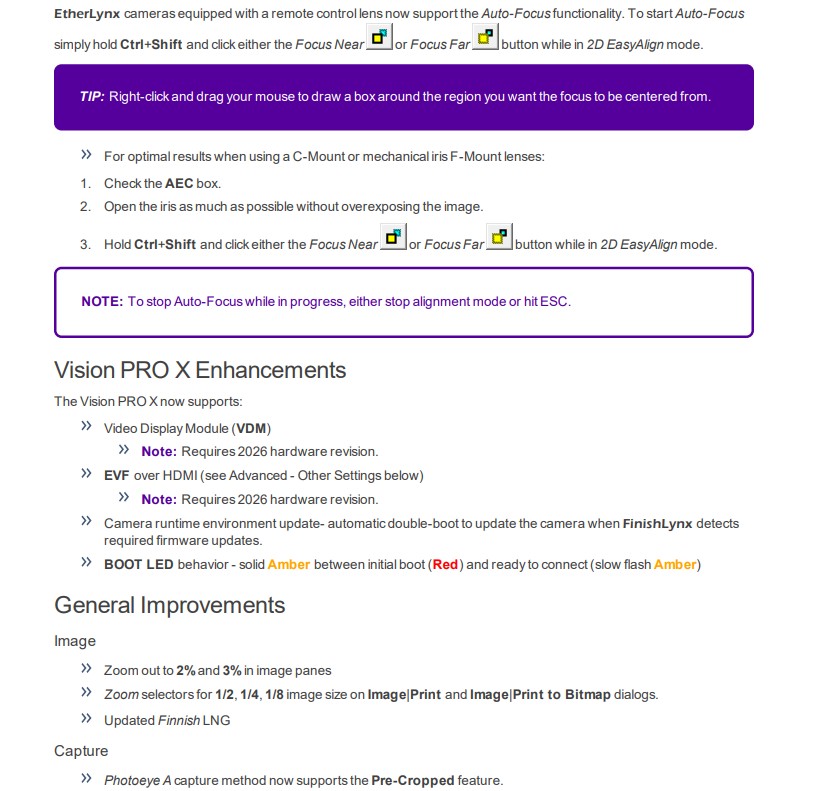
Auto-Focus

FinishLynx Software
NameFile Size
FinishLynx 13.10 (12/5/2025)137 KBDownload
FinishLynx LITE (Scholastic)
NameFile Size
FinishLynx LITE 13.10137 KBDownload
FieldLynx Software
NameFile Size
FieldLynx 1.96 Software for Windows137 KBDownload

If you need additional support, please contact our Technical Support Team and be sure to join the FinishLynx Sports Timers Group on Facebook to connect with fellow Lynx operators.

Join Lynx at Upcoming 2025 Tradeshows

Join Lynx at Upcoming 2025 Tradeshows


Location: Tucson, Arizona

Dates: Monday December 8th – Wednesday, December 10th

Booth: 10

Lynx is looking forward to exhibiting at the Global Symposium on Racing. For over half a century, the Global Symposium on Racing has brought together leaders and innovators from every corner of the horse racing world to explore the industry’s most pressing challenges and emerging opportunities. Over the course of three days and more than a dozen panel sessions, attendees will engage in dynamic discussions and gain valuable insights. .

Location: Tampa, Florida

Dates: Sunday December 14th – Monday December 15th

Booth: 1540

Lynx is excited to be exhibiting at the 56th annual National Athletic Directors Conference, hosted by the NFHS and NIAAA, at the Tampa Convention Center. This premier event brings together over 2,700 interscholastic athletic administrators for professional development, keynote presentations, and networking, all alongside an expansive exhibit hall featuring over 300 booths. We’re eager to connect with attendees and explore how precision timing can elevate high school Track & Field programs.

New Release: XCScore Software

XCScore Software: Real-Time Cross Country Team Scoring

Cross country meets move fast — and so should your scoring. With XCScore, FinishLynx brings team scoring to the course in real-time. Whether it’s a small invitational or a championship meet, XCScore calculates and displays results instantly so athletes, coaches, and fans can follow the race as it unfolds.

XCScore is a Windows application that calculates team scores for Cross Country events in real-time, based on the split or results data received from FinishLynx, and sends these scores to scoreboards or video displays connected to ResulTV.

XCScore Diagram

Real-Time Team Scores
XCScore updates team scores dynamically as results or split times are received from FinishLynx giving spectators and coaches an up-to-the-minute leader board.

Display Team Scores on LED Boards
XCScore integrates with ResulTV and is the perfect tool to leverage your existing displays to showcase live team scores.

User-Configurable Scoring Logic
XCScore offers flexible options to set the number of scoring athletes, displacers, and scoring rules — ideal for different event formats or local scoring standards.

Customizable Display Scripts
Built-in ResulTV scripts allow for tailored scoreboard output. Modify the included LSS scripts or create your own to fit your event branding and display needs.

Network Connection to FinishLynx
XCScore connects directly to FinishLynx over your event network, ensuring seamless data flow from your timing system to your displays.

Windows 11 Compatible
Designed for modern systems, XCScore runs smoothly on Windows 11 for optimal performance and future-proofing.

If you already have FinishLynx and ResulTV, adding XCScore is a game-changer. Contact us to learn more about bringing real-time scoring to your course this season.


Downloads
NameFile Size
XCScore Software795 KBDownload
QSG – XCScore Software291 KBDownload

Software Updates: LynxPad 3.30, NetExchange 3.25, ResulTV 6.32, & ResulTV-VDM 6.32

Software Updates: LynxPad 3.30, NetExchange 3.25, ResulTV 6.32, & ResulTV-VDM 6.32


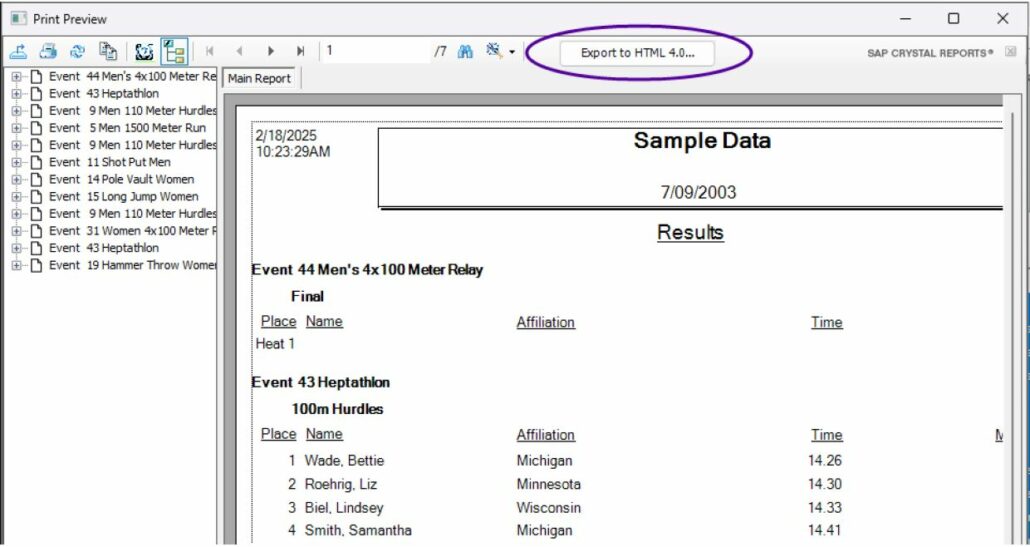
  1. Go to Reports | Results…
  2. Select the events to be included.
  3. Click Preview.
  4. Click the Save Flat HTML button (above the results preview).
  5. Enter a filename and browse to the desired location.
  6. Click Save.

Fixed issue where male relay members were not saved correctly after initial entry.


Updated Keylok Driver.

Updated Keylok Driver.


LynxPad Downloads
NameFile Size
LynxPad Meet Management Software 3.30179 MBDownload
LynxPad Release Notes 3.30141 KBDownload
LynxPad 3.30 User Guide3 MBDownload
ResulTV Downloads
NameFile Size
ResulTV 6.323 MBDownload
ResulTV-VDM 6.322 MBDownload
ResulTV 6.32 Release Notes166 KBDownload
NetExchange Downloads
NameFile Size
NetExchange Server Software 3.252 MBDownload
NetExchange 3.25 Release Notes75 KBDownload

If you need additional support, please contact our Technical Support Team and be sure to join the FinishLynx Sports Timers Group on Facebook to connect with fellow Lynx operators.

Dress Up Your Finish Line for Improved FinishLynx Images

Dress Up Your Finish Line for Improved FinishLynx Images

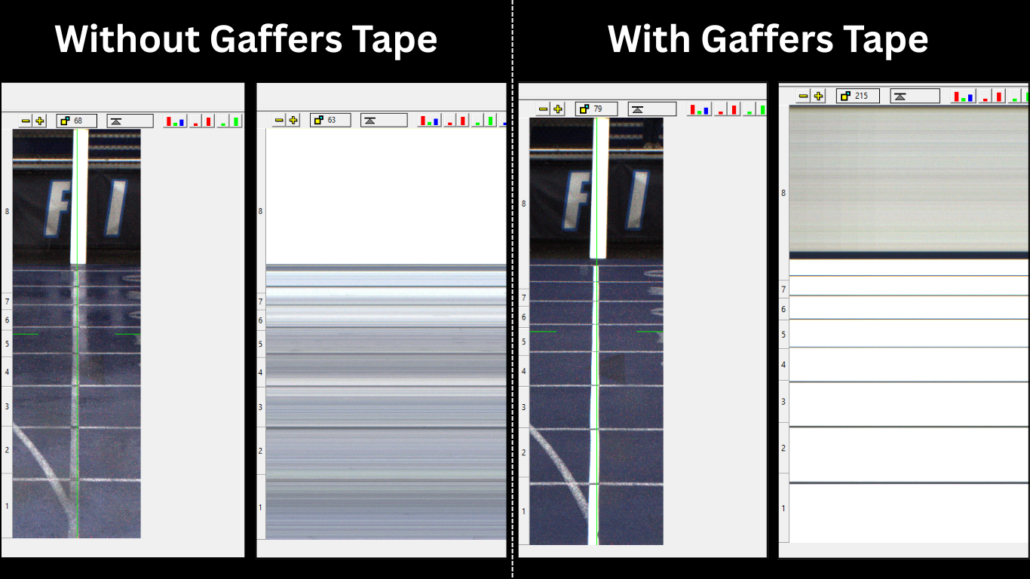
Having a crisp, white finish line is the quickest way to ensure clear FinishLynx captures. It doesn’t matter if your finish line is on a track, along the grass, or across a paved road. Depending on your situation, you can choose to use white gaffers tape (matte, non-glossy), chalk, or even paint (if allowed) to improve your finish line.

When re-painting the finish line is not an option, a very useful tool for timers to have with them is white gaffer tape which can be both a cheap and effective way to drastically improve the FinishLynx image. Even if the finish line at your meet isn’t the worst you’ve seen, making this minor enhancement still offers a big improvement in the quality of your photo-finish images (see example image below). The key thing to remember with gaffer tape is that it’s non-reflective, whereas something shiny like white duct tape may reflect TOO much light at the camera if it is sunny.

Some choose to go a step further and add black tape to the lane lines which is a great way to clearly identify the lanes in your image. If you don’t want to add black tape, another option is to leave a space without gaffer tape between each lane to help differentiate the lanes. Many users will also add a white post/board on the far end of their finish line. This vertical post extends the white finish line vertically to create more uniform image captures.

Since gaffers tape comes in various sizes, we recommend using the 2″ tape. Two options for gaffers tape can be found below:


If you need additional support, please contact our Technical Support Team and be sure to join the FinishLynx Sports Timers Group on Facebook to connect with fellow Lynx operators.

FinishLynx Support: Common Error Messages

FinishLynx Support: Common Error Messages

First, replace the Ethernet cables one at a time to eliminate the possibility of a bad cable or a bad connection. If you’re using a multi-port switch, try different connection ports in case there is a loose connection or bad contact.

If the issue still persists, follow our Loading Cameras – Troubleshooting Guide for help loading cameras.

Error Arming Event

In FinishLynx, click Camera Settings | Input, set Gun Sensor to None. This turns off the wired start connection. The wired start and wireless start are two separate connections in the system and are independent of each other.

Check that the RadioLynx Wireless Start is configured correctly. Open the Camera Settings | RadioLynx tab and be sure the selected item matches the physical connection of the RadioLynx receiver (C-Box, camera back, radio port etc).

Error Aligning Camera

When the camera has not booted and the operator clicks on the Red Stop Sign in the upper left corner to access alignment mode, FinishLynx will display this error message. It signifies that there is no camera available. Make sure that the camera has booted and the camera information line appears across the top of the FinishLynx screen before attempting to open the Alignment Mode.

If you see this message but are trying to use Automatic Capture Mode, check the following:

  1. Go to the Camera Settings | Capture tab, check Automatic and uncheck Manual.
    • Repeat for all cameras loaded.
  2. Go to File | Options | General tab, and next to Capture Button: uncheck Allow button override.

If you are trying to use a manual capture button, check the following:

  • Go to File | Options | General tab, and set Capture Button: to the COM port that corresponds with your USB capture button.

Capture Button Serial Port Unavailable

“Capture button serial port unavailable; keyboard capture will be used.” This common error message can appear when starting your FinishLynx software. If you get this message and you’re using Auto Capture but not the Capture Button, then no further action is required. You can proceed to running your meet as planned.

If you are using the Capture Button and receive the message above, click here to learn what to do in that instance.

  • Disable Wireless
    1. Open Network and Sharing Center and select Change Adapter Settings.
    2. Right-click Wireless Network and click Disable.
  • Make sure you are running the correct version of FinishLynx.
    • To see what version you have, Open FinishLynx then click Help | About…
  • Download the latest version of FinishLynx here: www.finishlynx.com/product/software/finishlynx-results-software/

IdentiLynx Error 202

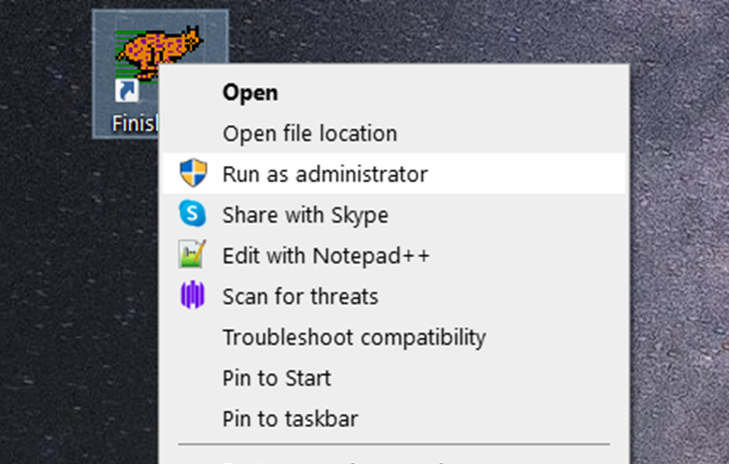
Some versions of windows require added permissions to enable the IdentiLynx camera. To correct the issue of an IdentiLynx not loading, simply close FinishLynx and run the program as administrator by right-clicking and selecting Run as administrator as seen to the right.

If this does not correct your issue, please check that there are no conflicting IP addresses on your network and contact Lynx technical support if needed.


If you need additional support, please contact our Technical Support Team and be sure to join the FinishLynx Sports Timers Group on Facebook to connect with fellow Lynx operators.

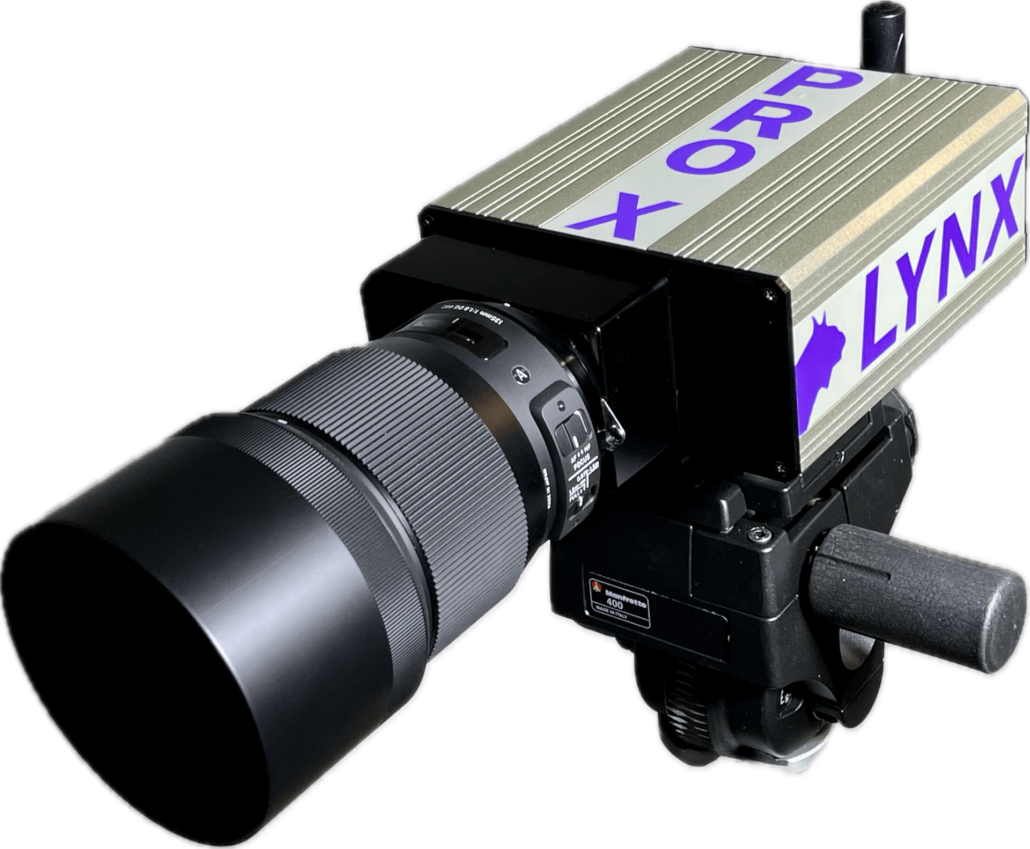
Introducing the Vision PRO X: The Future of Photo-Finish Technology

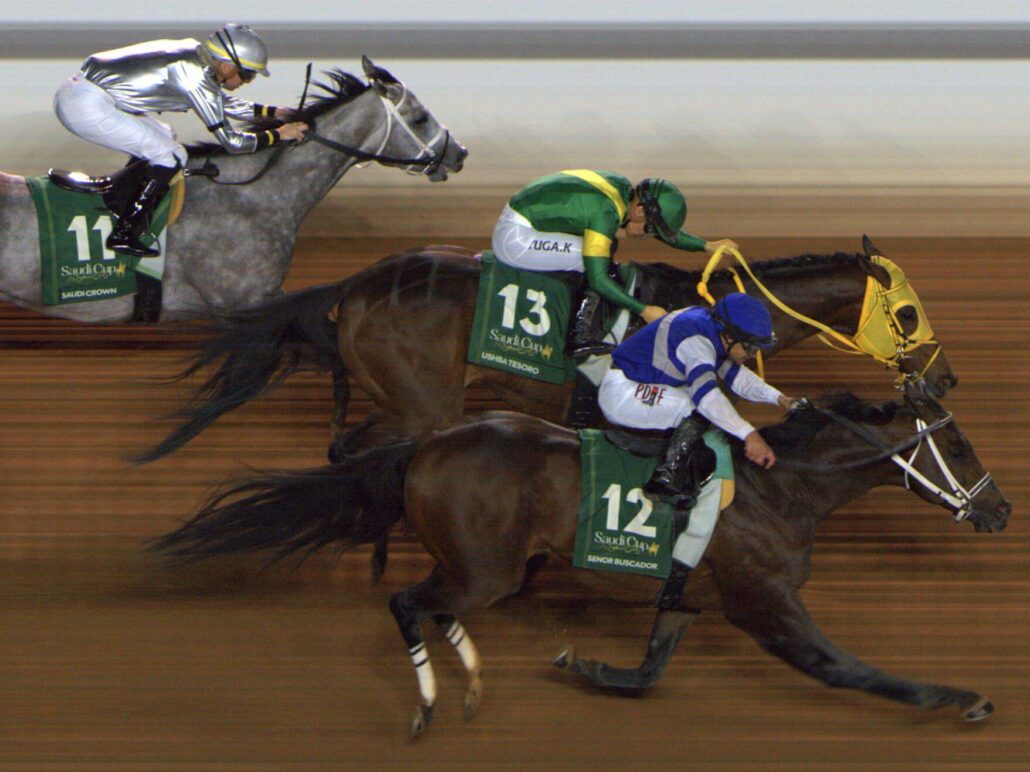
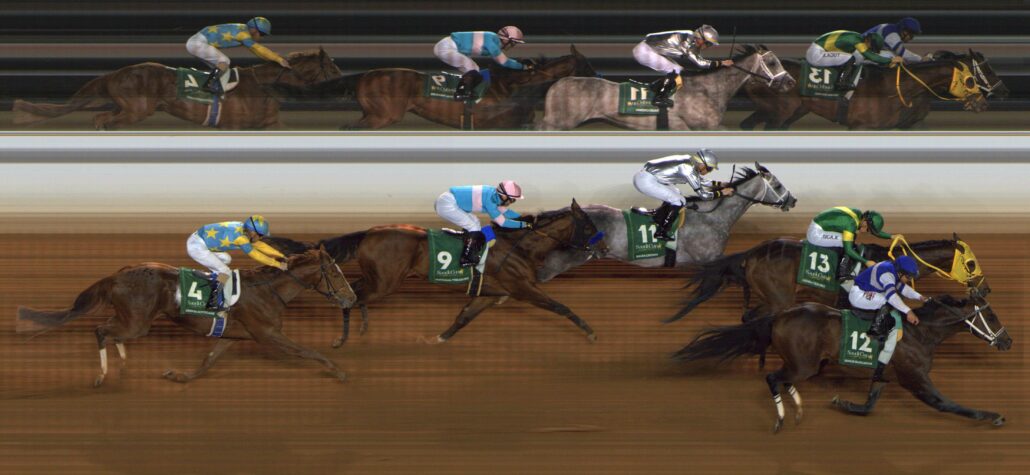
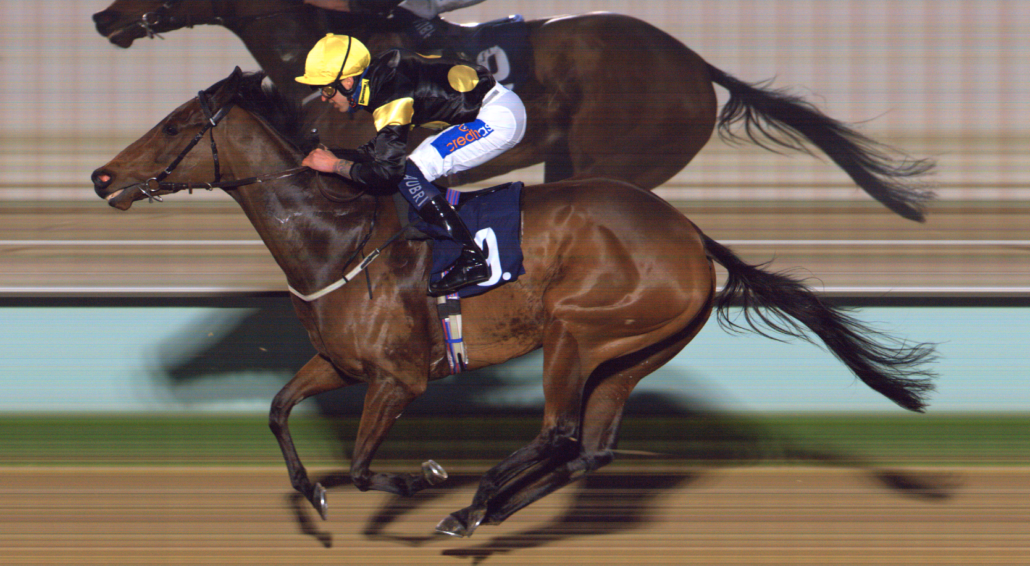
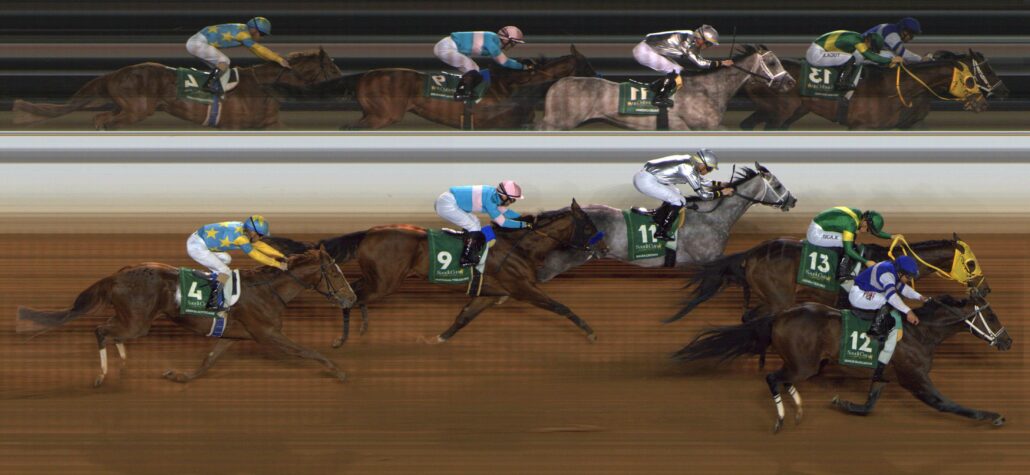
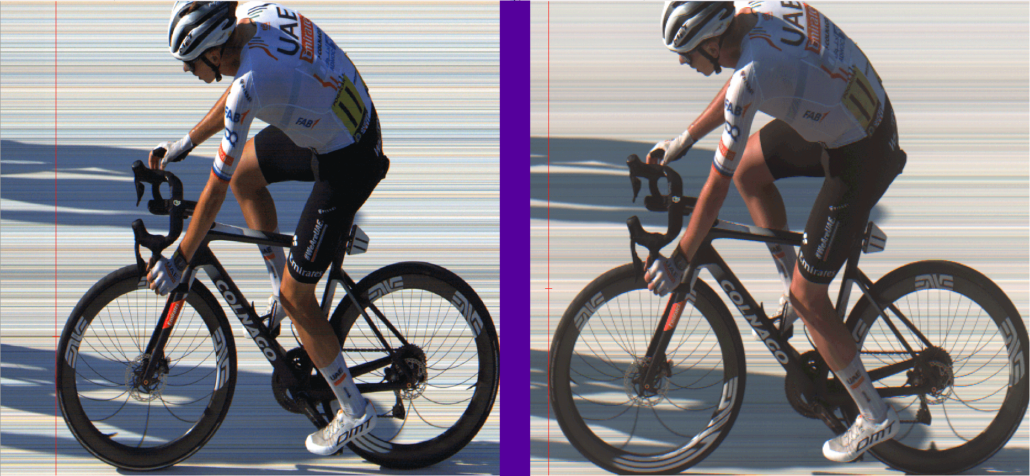
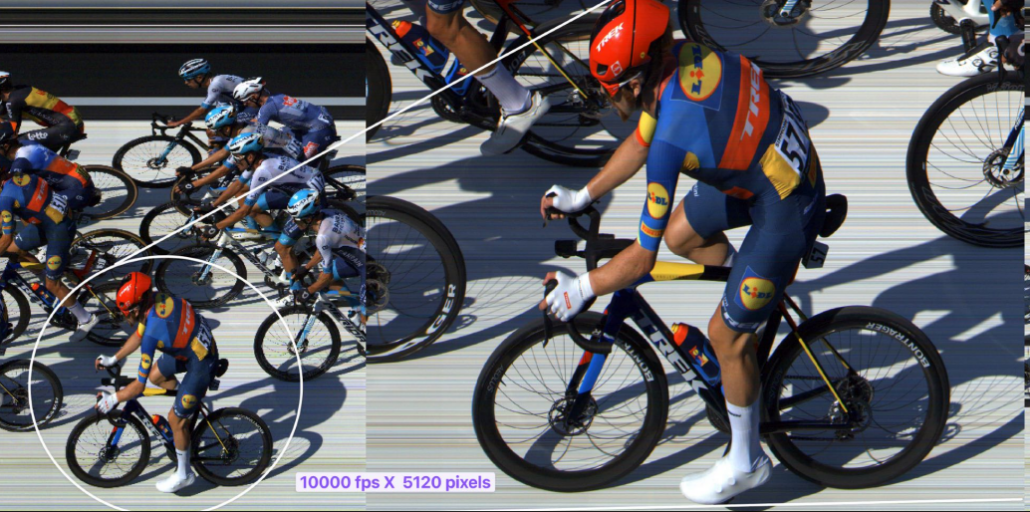
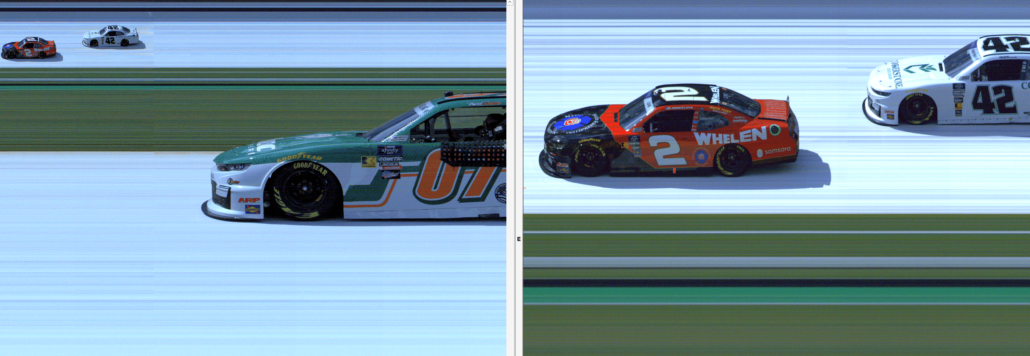
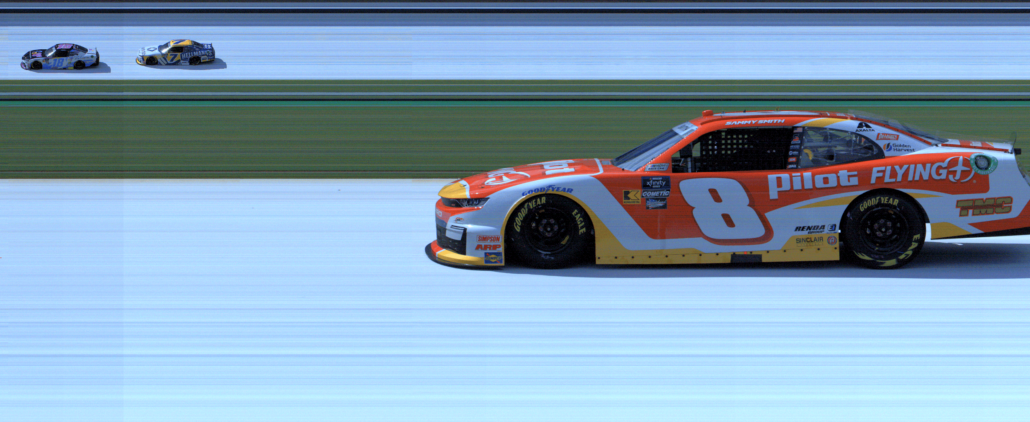
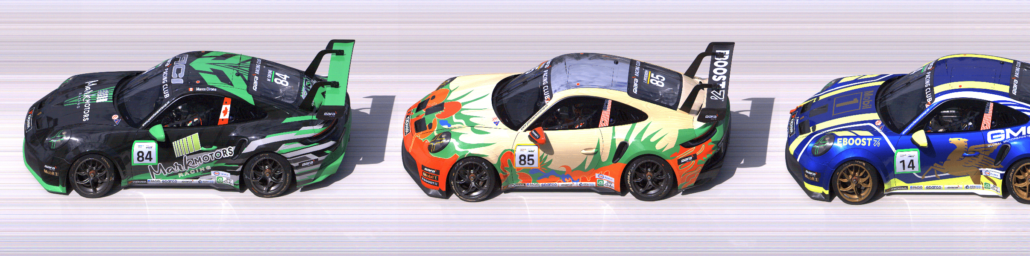
We’re excited to announce the release of the EtherLynx Vision PRO X camera. The Vision PRO X combines the user-friendly features of the Vision camera with the speed and power of the Vision PRO, while bringing powerful new features to the world of high-speed sports timing. Capturing a remarkable 40,000 frames per second along with updated features makes the Vision PRO X the ideal photo-finish camera for high-speed applications such as horse racing, motorsports, cycling, and more.

The EtherLynx Vision PRO X is at the forefront of photo-finish technology, setting a new benchmark for precision and performance in sports timing. Engineered for professionals who accept nothing less than the best, this camera offers unparalleled accuracy and superior image quality, making it the ultimate choice for every sport.

VIsion PRO X Downloads
NameFile Size
Vision PRO X Datasheet5 MBDownload
QSG – Vision PRO X541 KBDownload
FinishLynx 13.00 Software7 MBDownload
Vision PRO X Camera

The Vision PRO X camera is easily adaptable to a wide variety of optical perspectives. Whether you need to cover the whole width of a track from a steep angle or a far away narrow track from a lower angle, the Vision PRO X will produce outstanding high-resolution images.

From athletics to motorsports, the Vision PRO X is designed to handle any field condition and any speed. Its continuously variable pixel density ensures precise results regardless of the pace of competition, making it the ideal solution for every sport.

“Many thanks for the efforts you have put into the new 5L700 camera. This sensor is truly a purpose fit for Horse Racing. The image sells itself. The quality of image that can be achieved has never come before in Horse Racing.

For a lot of our clients upgrading to this camera will be a no brainer once we demo the camera to them. It’s only early days for us but I thought I would send the note of – Well done!” -Callan B.


Full Name(Required)

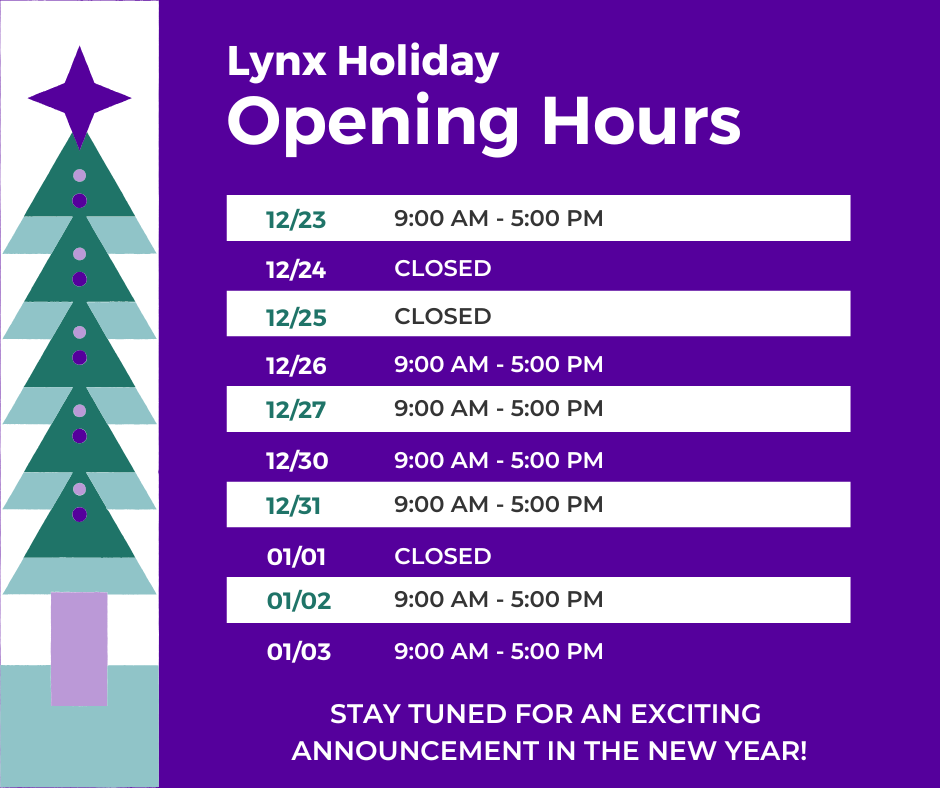
2024 Lynx Holiday Schedule

Haverhill, MA – Lynx Headquarters will be closing for the holiday season. After enjoying a delicious company holiday luncheon, we’re ready to enjoy some time off to spend with family and loved ones. Please reference the image below for our 2024 holiday hours. As always, we want to thank the Lynx community for a fantastic year and wish everyone safe and happy holidays!  

Limited technical support will be available during our winter break by calling the office and following the prompts to leave a message: (978) 556-9780. You can also submit a tech support web form, but please be patient as a response may be delayed. We will be back open with regular hours on Tuesday, January 2, 2025.

[CLOSED] Now Hiring: Manufacturing Supervisor

Now Hiring: Manufacturing Supervisor

We’re winning the race at Nevco-FinishLynx! We want every track and field event, skating rink and race track to utilize the latest in scoring and timing technology. The love of the game is at the forefront of everything we do. The FinishLynx product is arguably the most popular and powerful photo-finish results technology in the world. It is used at major sporting events across the globe, including the Olympic Trials, Kentucky Derby, NASCAR, and the Tour de France. Nevco-FinishLynx, is looking to bolster our manufacturing team with a Manufacturing Supervisor at its Haverhill, MA location. When you join Nevco-FinishLynx, you join a team. It’s what we do together that sets us apart. 

This role reports to Director of Manufacturing and manages a small team focused on the production of race-timing and photo-finish technologies. 

Scope of Responsibility: 

  • Develop and document manufacturing processes 
  • Advance quality assurance procedures and standards 
  • Drive opportunities for product and process improvement 
  • Manage and allocate production manpower resources 
  • Resolve order specifications and details with sales department 
  • Prioritize production schedules to accommodate customers’ needs 
  • Coordinate material planning RMI, WIP, and FGI 
  • Support shipping and receiving efforts; including material storage and cycle counting 

Requirements: 

  • Bachelor’s degree in manufacturing, business or engineering OR equivalent experience/certification. 
  • 3+ years prior production management experience preferred 
  • Technical competencies in electronics manufacturing 
  • Proficiency in reporting capacities and MS office suite 
  • Strong background in continuous improvement and lean manufacturing 
  • Strong communication and organizational skills 
  • Excellent interpersonal and team-building abilities 

Job Type: Full-time 

Location: 179 Ward Hill Ave. Haverhill, MA. Haverhill is an industrial suburb about 25 miles north of Boston. Applicants must be willing to relocate to the Boston area. 

How to Apply 

Please send your resume to recruitment@finishlynx.com with the subject line: Manufacturing Supervisor 

Company Profile 

Lynx System Developers is the maker of FinishLynx photo-finish technology and produces fully automatic timing systems and sports technology for markets across the world. The company is privately-owned and located in Haverhill, MA. It was founded in 1992 by President and CTO Doug DeAngelis after he developed the prototype for FinishLynx as a graduate student at MIT. As a long-time runner, DeAngelis saw an opportunity to use digital line-scan technology to produce more accurate photo-finish results for sports. Today, FinishLynx is the most popular (and powerful) photo-finish timing system in the world. It is trusted by thousands of customers, including major sporting events like the Olympic Trials, Kentucky Derby, NASCAR, and the Tour de France. 

Nevco Sports, LLC is the largest private manufacturer and provider of display, scoring and audio solutions. For over 85 years, Nevco has provided athletic and recreational facilities of all sizes with the most innovative scoring and LED video display products in the industry. Nevco is known for its specialty in designing custom facility solutions, quality of products, and superior long term financial value. Today, Nevco scoring solutions are used to enhance the fan experience at events in more than 100,000 locations around the world. 
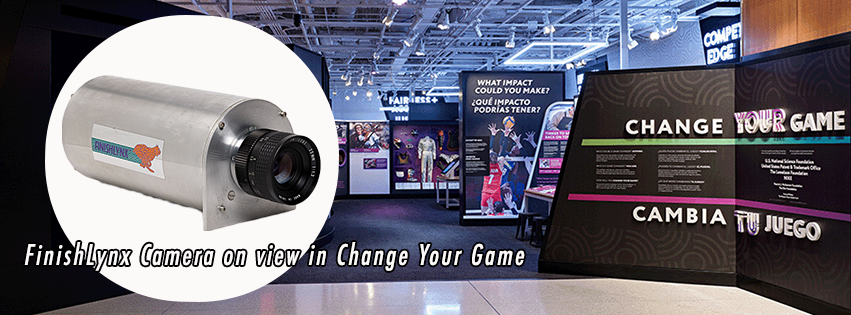
Innovative Lives: An Evening with Doug DeAngelis

Washington, DC (5/1/2024) – Together with the Smithsonian’s Lemelson Center for the Study of Invention and Innovation “Change Your Game / Cambia tu juego” exhibit, will be an evening with Doug DeAngelis. For those in the DC area, we invite you to attend the Innovative Lives event on May 1, 2024 from 6-8:30 PM for snacks, beverages, and an in-depth conversation with DeAngelis on the creation of the FinishLynx digital photo-finish timing camera. Don’t miss this opportunity to hear from DeAngelis who, at 24 years old, conceptualized the idea to utilize digital line-scan technology to ensure accuracy and precision in track timing that had never been seen before.

Event Schedule:

6:00 P.M. – Doors open, reception begins (open bar and light fare)

7:00 P.M. – Last call

7:15 P.M. – Fireside chat with Doug DeAngelis, moderated by Eric Hintz

8:00 P.M. – Audience Q&A

8:30 P.M. – Program concludes

Change Your Game Exhibit

Sponsor: American History Museum, Lemelson Center
Venue: American History Museum
Event Location: 1st Floor, West Wing
Cost: Free
Get Tickets/Register: https://www.eventbrite.com/e/innovative-lives-doug-deangelis-tickets-879651680857?aff=oddtdtcreator

The National Museum of American History welcomes visitors of all ages and abilities. ASL interpreters are provided for in-person programs. Additional accommodations are available upon request; please email nmahprograms@si.edu.

Read the full history of Lynx System Developers here.