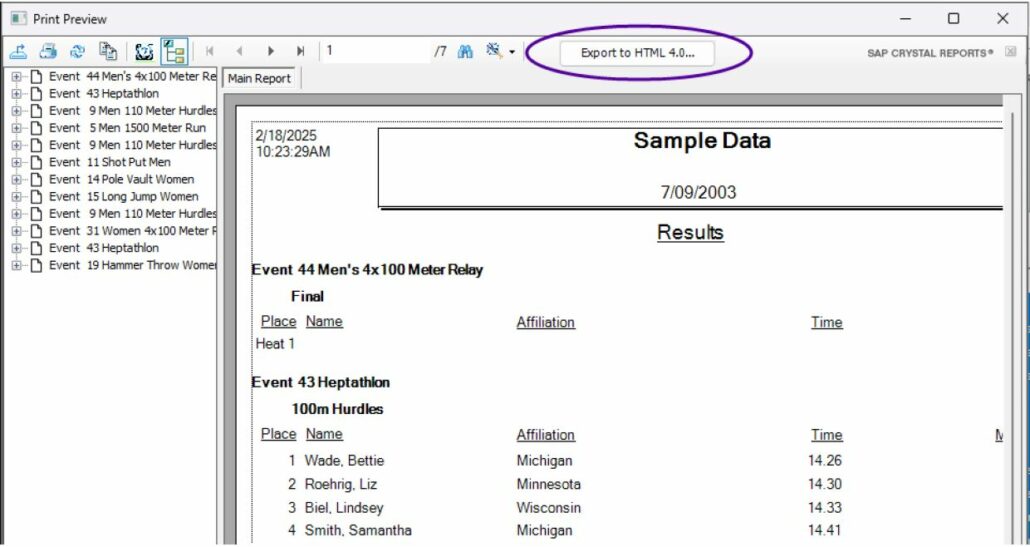
LynxPad can now export reports in Flat HTML format, making it compatible with online results systems such as MileSplit. To export results in Flat HTML:
Go to Reports | Results…
Select the events to be included.
Click Preview.
Click the Save Flat HTML button (above the results preview).
Enter a filename and browse to the desired location.
Click Save.
General Improvements
Fixed issue where male relay members were not saved correctly after initial entry.